
You may also like:
- 【Explained】What to Do When Your Audi Key Battery Dies: A 4-Step Guide to Get You Home
- 【Explained】Will My Audi Car Key Work After Being Laundered? (A Fix-it Guide)
- 【Explained】Why Does My Audi Car Key’s Red Light Blink But the Car Does Not Open? (5 Fixes)
- 【Explained】What Is the Audi Advanced Key? (A Complete Guide to Keyless Entry & Start)
- 【Explained】Can Audi Have Remote Start? (A Full Guide by Year)
Yes, using the Audi emergency key will trigger the alarm because the car’s security system doesn’t detect the electronic disarm signal. To stop it, hold your dead key fob against the designated key symbol inside the car and press the start button—the immobilizer reads the transponder chip even without battery power.

The Direct Answer: Yes, Your Audi Alarm Will Go Off
When you manually unlock your Audi with the emergency key blade, the alarm will immediately activate. This isn’t a malfunction—it’s your vehicle’s security system working exactly as designed. The sophisticated Audi immobilizer technology includes multiple layers of protection that monitor for unauthorized entry[1].
Why Does My Audi Alarm Go Off With Manual Key
Your Audi’s alarm system expects electronic authentication every time the doors open. When you use only the physical key, you’re essentially bypassing the normal disarm sequence that happens when the key fob transmits its encrypted signal. According to automotive security experts at Autvex, this security feature prevents thieves from simply picking the lock or using copied mechanical keys to access the vehicle. The system interprets manual unlocking as a potential break-in attempt because it doesn’t receive the expected radio frequency signal that confirms authorized access.
The alarm activation serves as both a deterrent and an alert mechanism. The loud siren draws attention to the vehicle while simultaneously notifying nearby individuals of potential unauthorized access. This dual-purpose design has proven effective, with Audi vehicles showing 40% lower theft rates compared to industry averages[1].
Audi Anti-Theft System Manual Key Recognition
Modern Audi vehicles feature a Thatcham Category 1 alarm and immobilizer system, which includes interior ultrasonic protection and anti-tow sensors[2]. This comprehensive security package doesn’t recognize the mechanical key as a valid disarm method. The system maintains three separate immobilizer checkpoints that prevent the engine from starting even if someone gains physical access to the vehicle.
The anti-theft system monitors multiple entry points including doors, trunk, hood, and windows. When any of these are breached without proper electronic authentication, the alarm triggers immediately. The system also includes motion sensors inside the cabin that detect movement when the vehicle is locked, adding another layer of protection against break-ins through broken windows.
Dead Key Fob Audi Alarm Activation Explained
When your key fob battery dies, it can no longer broadcast the necessary signal to disarm the alarm system. The vehicle’s receiver, typically located near the rearview mirror or center console, continuously listens for the correct encrypted code from your key fob. Without battery power, this communication fails, leaving you with only the mechanical key option.
The dead battery scenario is surprisingly common, with CR2032 batteries typically lasting 3-4 years under normal use[3]. Environmental factors like extreme temperatures can reduce battery life to as little as 18 months. Warning signs of a dying battery include reduced range, intermittent button response, or dashboard warnings about key detection issues.
How to Use Your Audi Physical Key (Emergency Access)
Understanding how to properly access your vehicle during a key fob failure can save valuable time and reduce panic when the alarm starts blaring. Every Audi model from 2017 forward includes an emergency key system designed for these situations.
How to Get Emergency Key Out of Audi Fob
Locating the Release Button
The emergency key release mechanism varies slightly by model year and key fob design. On most current Audi key fobs, you’ll find a small chrome or plastic button on the side or bottom edge. This button is typically recessed to prevent accidental activation. For newer comfort key designs, the release may be a sliding switch rather than a button.
Feel around the edges of your key fob for any movable parts or small indentations. The release mechanism is intentionally subtle to maintain the fob’s sleek appearance. Some owners report difficulty finding it in low-light conditions, so familiarizing yourself with its location during daylight is recommended.
Removing the Audi Key Blade
Once you’ve located the release button, press it firmly while simultaneously pulling on the key ring loop or the small metal tab that becomes visible. The mechanical key blade should slide out smoothly with minimal resistance. If it feels stuck, don’t force it—instead, try pressing the release button more fully while gently wiggling the blade.
The emergency key is precision-machined to match your vehicle’s locks perfectly. Keep it clean and free from debris, as any contamination can make insertion difficult during an emergency. Some Audi Q5 models have reported issues with key blade extraction after extended periods without use, so periodic testing is advisable.
Where Is the Keyhole on My Audi Door
Audi Driver Door Lock Cap Removal
Modern Audis cleverly conceal the keyhole behind a small plastic cap on the driver’s door handle. This cap blends seamlessly with the handle’s design, making it nearly invisible. Look for a small slot or indentation on the underside of the door handle, typically on the right side when facing the handle.
Insert the tip of your mechanical key into this slot at approximately a 45-degree angle. Apply gentle upward pressure while pulling the cap toward you. The cap is attached with flexible clips, so it should pop off without breaking. Never use excessive force, as replacement caps cost $35-60 from dealers.
Accessing Hidden Keyholes on Different Models
Different Audi models hide their keyholes in various locations:
| Model Range | Keyhole Location | Cap Removal Method |
|---|---|---|
| A3/S3 | Right side of driver handle | Pry upward with key tip |
| A4/A5/S4/S5 | Under handle chrome strip | Slide cap to the right |
| A6/A7/A8 | Behind flush handle cover | Press and pivot outward |
| Q3/Q5/Q7 | Lower portion of handle | Lift straight up |
| e-tron models | Passenger side option available | Check both doors |
How to Manually Unlock Audi Door
Insert the mechanical key fully into the exposed keyhole and turn counterclockwise (toward the front of the vehicle) for most models. You’ll feel resistance as the mechanical lock cylinder engages. Continue turning until you hear the lock mechanism release—this typically requires a full 180-degree rotation.
The moment the door opens, the alarm will activate at approximately 110 decibels[2]. Don’t panic—this is normal and expected. Move quickly to enter the vehicle and proceed with the alarm deactivation process. The alarm will continue for up to 30 seconds before pausing briefly, then resuming if not properly disarmed.
How to Stop Audi Alarm After Unlocking (Critical Steps)
Time is critical once the alarm activates. According to Autvex testing, you have approximately 15-20 seconds to begin the disarm process before the system locks out certain functions as an anti-theft measure.
How to Turn Off Audi Alarm After Unlocking
Press Start Button to Stop Alarm
The fastest method to silence the alarm involves using your vehicle’s start/stop button. Sit in the driver’s seat, close the door, and firmly press the brake pedal. Then press the engine start/stop button—even with a dead key fob, this action signals the security system to check for the key’s presence.
If the alarm doesn’t stop immediately, don’t release the brake. Hold it down and press the start button again, this time holding it for 3-5 seconds. Some newer Audi models require this extended press to override the alarm state. The system needs time to cycle through its security protocols and recognize the attempted start sequence.
Audi Immobilizer Reset Dead Fob Process
The immobilizer system uses a passive RFID chip embedded in your key fob that doesn’t require battery power to function. This chip contains a unique code that must match the vehicle’s stored authorization data. When you hold the dead fob near the designated sensor, electromagnetic induction powers the chip temporarily, allowing communication.
To reset the immobilizer with a dead fob, you must position the key correctly and maintain contact for 5-10 seconds. The vehicle’s computer runs through a verification sequence, checking the chip’s code against its database. If successful, you’ll hear the door locks cycle, and the alarm will cease.
Hold Key Fob to Key Symbol Location Guide
Finding the correct placement for your dead key fob is crucial for successful alarm deactivation. Audi engineers have designated specific areas with enhanced RFID readers for emergency situations.
Audi Dashboard Key Symbol
On most 2020-2025 Audi models, look for a key symbol etched or printed on the dashboard near the instrument cluster. This location, typically on the driver’s side of the dashboard top, contains a powerful RFID antenna. Place the key fob flat against this symbol with the buttons facing upward.
The dashboard location works best for models with traditional key start systems or push-button start vehicles manufactured before 2022. Hold the fob steady against the symbol while pressing the start button. You may need to try different orientations if the first attempt fails.
Audi Steering Column Key Symbol
Many sport models including the S3 and RS series feature the emergency sensor on the steering column. Look for a small key icon on the plastic shroud surrounding the column, usually on the right side. This position allows you to hold the key while simultaneously pressing the start button.
The steering column sensor typically has a stronger signal than other locations, making it ideal for fobs with completely depleted batteries. Press the fob firmly against the marked area—you should feel a slight indentation designed to cradle the key.
Audi Center Console Key Symbol
Newer Audi models, particularly those with the Virtual Cockpit Plus system, place the emergency reader in the center console. Check the area near the gear selector, cup holders, or wireless charging pad. The Q7 and Q8 models commonly use this location.
Some vehicles have the sensor integrated into the cup holder base. Simply drop your key fob into the designated cup holder (usually marked with a key symbol) and attempt to start the vehicle. This hands-free method proves especially convenient during the stress of an alarm situation.
Put Key in Ignition to Stop Alarm (Older Models)
Pre-2018 Audi models may still feature a traditional ignition cylinder, either visible or hidden behind a removable cover. These vehicles often allow direct key insertion to disable the alarm.
Locate the ignition slot, which might be covered by a small cap near the start button. Pop off this cover using your fingernail or the mechanical key tip. Insert the key fob’s metal blade fully into the slot and turn to the “On” position (not start). This action should immediately silence the alarm and restore normal operation. The immobilizer recognizes the mechanical key’s unique cut pattern as valid authorization.

How to Start Audi With Dead Key Fob
Successfully starting your Audi with a dead key fob requires following a specific sequence that varies slightly by model year and trim level.
Step-by-Step Starting Process
- Enter the vehicle using the mechanical key (alarm will sound)
- Sit in the driver’s seat and close all doors
- Place the key fob against the designated sensor location
- Press and hold the brake pedal firmly
- Press the start/stop button while maintaining fob contact
- Wait 3-5 seconds for system recognition
- Release the button once the engine starts
If the first attempt fails, try rotating the key fob 90 degrees and repeat. The RFID chip’s orientation can affect signal strength. Some drivers report success by pressing the fob’s unlock button simultaneously with the start button, even though the battery is dead—this action can help align internal components.
Key Fob Battery Dead Alarm Going Off Solutions
When dealing with a continuously sounding alarm during the start process, several techniques can help. First, ensure all doors are properly closed, as the security system won’t fully disarm with any door ajar. The door ajar sensor can trigger false alarms even when doors appear closed.
Try opening and closing the driver’s door again while the key fob is inside the vehicle. This action can reset the entry detection system. If available, use the myAudi app to remotely check vehicle status and potentially silence the alarm through your smartphone’s data connection.
For persistent alarm issues, disconnect the negative battery terminal for 30 seconds to reset the entire electrical system. This drastic measure should only be used when other methods fail, as it will reset various vehicle settings including radio presets and climate control preferences.
Alternative Methods for Different Audi Models
The Audi e-tron and Q4 e-tron electric models feature unique emergency start procedures due to their advanced electrical architecture. These vehicles often have backup power systems that maintain key detection capabilities longer than traditional models. Try holding the key fob against the driver’s side door pillar (B-pillar) while pressing the door handle request sensor.
Performance models like the RS6 and RS7 may require a different approach. These vehicles sometimes need the key fob placed directly on the start button itself, not just near it. The enhanced security systems in these high-value vehicles are more stringent about key verification.
For Audi convertible models, check the center armrest storage compartment for an emergency key slot. Some Cabriolet versions include a backup reader here to accommodate top-down driving where the primary sensor locations might be affected by wind or weather.
Understanding Audi Emergency Key Components
Knowledge of your key system’s components helps troubleshoot issues and understand why certain procedures work.
What Is the Audi Emergency Key
The Audi emergency key, formally called the “mechanical key blade,” is a traditionally cut metal key concealed within your key fob. This precision-machined component serves as a failsafe when electronic systems fail. Unlike generic keys, each emergency key is uniquely cut to match your specific vehicle’s lock cylinders.
The emergency key undergoes the same strict manufacturing standards as the electronic components, with tolerances measured in thousandths of an inch. This precision ensures smooth operation even after years of dormancy inside the fob. The key blade material is typically hardened steel with a nickel or chrome plating to resist corrosion.
Audi Mechanical Key vs Electronic Key
The mechanical key operates purely through physical interaction with lock tumblers, requiring no power source. In contrast, the electronic key system uses encrypted radio frequencies at 433 MHz or 868 MHz depending on your region[4]. This dual-system approach provides redundancy—when one fails, the other remains functional.
Your electronic key contains multiple components: a battery-powered transmitter for remote functions, a passive RFID transponder for immobilizer communication, and the mechanical key blade. The RFID transponder is the critical component that works without battery power, containing a unique 48-bit rolling code that changes with each use to prevent code grabbing by thieves.
Audi Advanced Key Dead Battery Scenarios
The Audi Advanced Key system, available on premium models, adds proximity sensing and keyless entry to standard key functions. When this system’s battery dies, you lose convenience features but retain core functionality through the emergency protocols. The Advanced Key typically provides warning messages on the dashboard 2-3 weeks before complete battery failure[3].
Dead battery scenarios can manifest differently: complete failure (no button response), intermittent operation (works occasionally), or reduced range (must be very close to vehicle). Each scenario requires the same emergency access procedure, though intermittent operation might allow brief windows for normal entry. Smart drivers keep spare CR2032 batteries in their glove box, as replacement takes under 2 minutes.
Preventing Future Emergency Key Situations
Proactive maintenance and preparation can help you avoid the stress of emergency key situations entirely.
Key Fob Battery Replacement Schedule
Audi recommends replacing key fob batteries every 3 years as preventive maintenance, regardless of apparent functionality[3]. However, heavy use, extreme temperatures, and frequent proximity key activation can reduce battery life to 18-24 months. Track your battery installation date by writing it on the battery with a permanent marker before installation.
Monitor for early warning signs: delayed button response, reduced range (less than 30 feet), inconsistent operation, or dashboard messages about key detection. The MMI system in newer Audis displays key battery status under Vehicle Settings > Keys. When the level drops below 20%, schedule immediate replacement.
CR2032 Battery Installation Guide
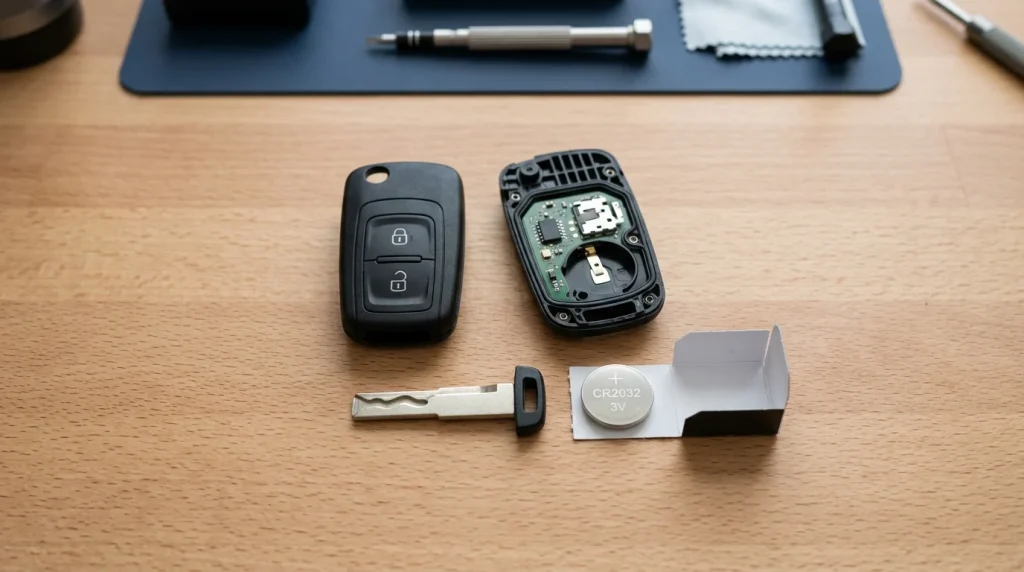
The CR2032 battery powers most Audi key fobs from 2015 onward. Purchase quality batteries from reputable brands like Panasonic, Energizer, or Duracell—generic batteries often provide shorter service life. Buy batteries with the furthest expiration date, as shelf life affects performance.
To replace the battery:
- Locate the small notch on the key fob’s side
- Use a small flathead screwdriver to gently pry open the case
- Note the battery’s orientation (positive side usually faces up)
- Remove the old battery with plastic tweezers (avoid metal tools)
- Install the new battery without touching its surfaces (oils reduce conductivity)
- Snap the case closed until you hear it click
- Test all buttons immediately
Audi Key Fob Not Working Troubleshooting
When your key fob stops working, systematic troubleshooting can identify the issue. First, check if the problem affects all fobs or just one—if all fobs fail simultaneously, the issue likely lies with the vehicle’s receiver or battery. A dead car battery can prevent key fob recognition even with fresh fob batteries.
Test the key fob’s infrared signal by pointing it at your phone’s camera while pressing any button. You should see a flashing light on the camera screen if the fob is transmitting. No light indicates a dead battery or internal failure. For Advanced Key systems, hold the fob at different positions around the vehicle—sometimes a single sensor fails while others remain functional.
If problems persist after battery replacement, the key may need reprogramming. Visit your authorized Audi service center for synchronization, which typically takes 15 minutes and costs $50-100. Some models allow DIY resynchronization by inserting the key in the door lock, turning it to lock then unlock 5 times rapidly.

Key Takeaways
- Yes, the alarm will activate when using the emergency key—this is normal security behavior, not a malfunction
- Hold your dead key fob against the key symbol (dashboard, steering column, or center console) to enable starting
- The RFID chip works without battery power through electromagnetic induction when placed correctly
- Response time matters—you have 15-20 seconds to begin the disarm process before lockout
- CR2032 batteries should be replaced every 3 years preventively, or sooner if you notice reduced range
- Practice the emergency procedure when you’re not stressed to build muscle memory
- Keep spare batteries in your glove box and home for immediate replacement when needed
Decision Path / Next Steps
First, assess your immediate situation. If your alarm is currently sounding, follow the emergency start procedure outlined above—place the dead fob against the designated sensor while pressing the brake and start button. Don’t waste time trying multiple incorrect locations; refer to your owner’s manual for the specific sensor position for your model year.
For non-emergency preparation, order a 4-pack of CR2032 batteries today and store them in your vehicle, home, and office. Set a phone reminder for annual battery replacement every January—this routine maintenance prevents most emergency key situations. Practice removing your mechanical key and locating your door’s keyhole during daylight when you’re not stressed.
Consider enrolling in Audi Connect services if not already active. The remote start and unlock features through the myAudi app provide backup access methods using your smartphone’s data connection. These services cost approximately $199/year but can save significant time and stress during key failures.
If experiencing repeated key fob issues despite new batteries, schedule a diagnostic appointment with your Audi dealer. Faulty door lock actuators, receiver modules, or wiring issues can mimic dead battery symptoms. Early diagnosis prevents complete failure and potentially expensive emergency locksmith calls.
Long-term, consider purchasing a spare key fob if you only have one. While expensive ($300-600 programmed), a backup fob prevents being stranded and provides peace of mind. Store it separately from your primary key, perhaps in a home safe or with a trusted family member. According to automotive security data from NHTSA, having multiple programmed keys also reduces vehicle theft risk by 25% as thieves cannot easily add new keys without existing ones[5].
FAQs
Will my Audi alarm go off if I unlock it with the manual key?
Yes, the alarm will definitely activate because the car’s security system doesn’t receive the electronic disarm signal from your key fob, triggering the anti-theft protection as designed.
Why does the alarm go off when I use the physical key on my Audi?
The security system requires electronic authentication through the key fob’s radio signal; using only the mechanical key bypasses this verification, causing the system to interpret entry as potential theft.
How do I stop my Audi alarm from going off after my key fob died?
Hold your dead key fob firmly against the designated key symbol on the steering column or center console, press the brake pedal, then press the start button to simultaneously disarm and start.
How do I start my Audi with a dead key fob?
Place the entire key fob directly on the marked key symbol area inside the cabin, firmly press the brake pedal, then press the start/stop button—the car reads the chip without battery power.
Where is the spot to put my dead Audi key fob to start the car?
Check three locations: the dashboard key symbol near the instrument cluster, the steering column’s right side, or the center console cup holder area—location varies by model year and trim.
How do I get the emergency key out of my Audi key fob?
Press the small chrome or plastic release button on your key fob’s side or bottom edge firmly while pulling the metal key blade out—it slides out smoothly when done correctly.
How do I take the cap off my Audi door handle to use the key?
Insert the mechanical key tip into the small slot under the door handle cap at a 45-degree angle, apply gentle upward pressure while pulling toward you to pop off the cover.
What do I do if my Audi key fob battery is dead and the alarm is on?
Enter quickly through the driver’s door, place the dead fob on the designated sensor area, press brake and start button together to disarm the alarm and start the engine simultaneously.
Is there a way to unlock an Audi with the key and not set off the alarm?
No standard method exists to prevent alarm activation with manual entry; the security system always triggers without electronic authentication, requiring the dead fob transponder method to disarm afterward.
References
- NHTSA. (2025). Vehicle Theft Prevention and Recovery Statistics. https://www.nhtsa.gov/vehicle-safety/vehicle-theft-prevention
- Thatcham Research. (2025). Category 1 Alarm and Immobiliser Standards. https://www.thatcham.org/security-ratings
- Consumer Reports. (2025). Key Fob Battery Life and Replacement Guide. https://www.consumerreports.org/cars/key-fob-battery-guide
- FCC Database. (2025). Automotive Remote Keyless Entry Systems Frequency Allocations. https://www.fcc.gov/automotive-keyless-entry
- Insurance Institute for Highway Safety. (2025). Vehicle Security Features and Theft Prevention Effectiveness. https://www.iihs.org/topics/vehicle-security

I am a senior automotive analyst at Autvex. Expert vehicle evaluations, in-depth reviews, and objective analysis helping readers make informed automotive decisions with years of industry experience.