You may also like:
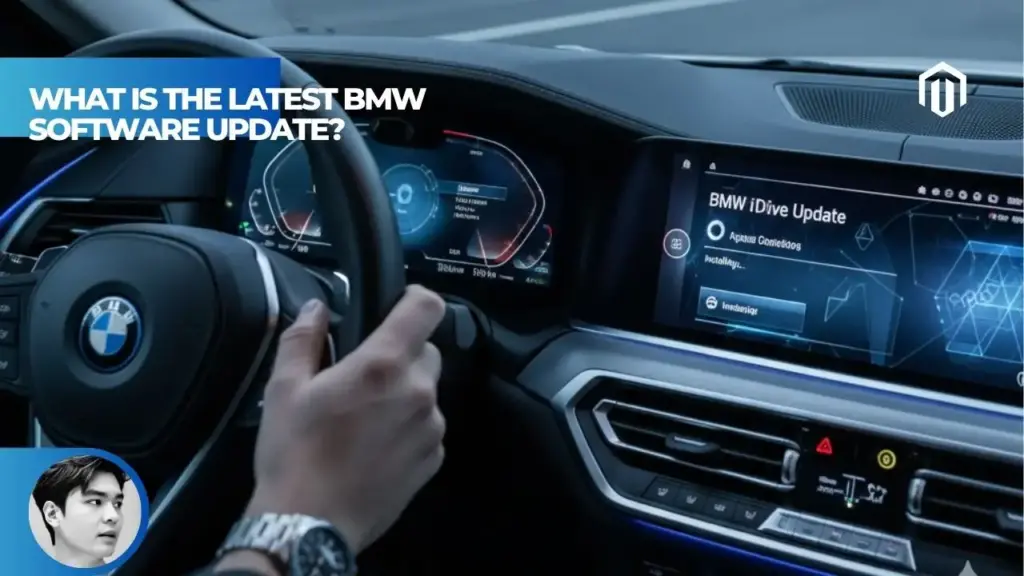
The latest BMW software update is version 07/2025.40 for vehicles running Operating System 8.5, rolled out in late 2025[1]. This update includes improved navigation, more reliable AC charging, enhanced infotainment stability, and altitude display in navigation[2]. For vehicles with the newer BMW Operating System 9, the YouTube app became available in January 2025, and Zoom videoconferencing was added in summer 2025 for BMW Digital Premium subscribers[3]. BMW has delivered over 10 million over-the-air (OTA) updates globally, making their system one of the most active in the industry[4].
Current BMW Software Versions by Operating System
BMW runs different operating systems depending on your vehicle’s model year and hardware. You can’t upgrade between major OS versions—only within your current system.
| Operating System | Latest Version | Key 2025/2026 Features | Eligible Models |
|---|---|---|---|
| OS 9 | Ongoing OTA | YouTube, Zoom, eSIM hotspot | X1, X2, 1 Series, 2 Series Active Tourer, new X3, M5 (2024+) |
| OS 8.5 | 07/2025.40 | Improved navigation, lane change, HUD map | Most 2019–2023 models |
| OS 8 | 22-07 | Expanded My Modes, personal assistant updates | Select 2019–2022 models |
| OS 7 | Limited support | Basic maintenance updates only | Pre-2019 models |
Version availability varies by region and specific vehicle configuration[1][5]
The catch? You cannot upgrade from Operating System 8 or 8.5 to Operating System 9[6]. OS 9 requires specific hardware, including a new head unit. BMW continues supporting older systems with regular OTA updates within each platform’s capabilities[7].
BMW Operating System 9: What’s New
OS 9 represents BMW’s most advanced infotainment platform, built on Android Open Source Project software[8]. It launched on the X1 and 2 Series Active Tourer in November 2023 and has since expanded to additional models including the new M5.
Recent OS 9 Updates
- YouTube App (January 2025) – Available for BMW Digital Premium subscribers, the YouTube app works while the vehicle is stationary[3]. Video playback automatically pauses when you start driving.
- Zoom Videoconferencing (Summer 2025) – BMW added Zoom capability on the Curved Display for stationary use[9]. Available in the US, Canada, Mexico, Germany, France, UK, Spain, and Italy with BMW Digital Premium.
- Personal eSIM Activation – OS 9 now supports personal eSIM for improved telephony and a built-in WiFi hotspot in your vehicle[3].
- Expanded Voice Control – The BMW Intelligent Personal Assistant gained natural-language support in Turkish, Greek, and Hungarian[9].
For owners of models like the 2025 BMW X3 or i5, OS 9 delivers the most intuitive touch controls and fastest response times BMW has offered.
BMW Operating System 8.5: Latest Updates
Most BMWs from the early 2020s run OS 8.5. The latest firmware version is 07/2025.40, which rolled out in September 2025[1].
Version 07/2025.40 Features
Owners who updated from older firmware (like 11/2023.73) report significant improvements[1]:
- Navigation improvements – More intuitive BMW Maps interface, altitude display added
- HUD map graphics – Sharper, cleaner visuals on the Head-Up Display
- Lane keeping assist – The steering wheel now actively helps center the vehicle (previously vibration only)
- Comfort steering feel – Slightly heavier steering weight in comfort mode
- Home/Work shortcuts – Navigation buttons for saved destinations appear on the home screen
- AC charging reliability – More stable charging performance[2]
One owner noted the lane-centering capability felt like a new feature entirely, though it may have been a dormant setting that the update activated[1]. Your mileage may vary.
Version 07/2025.38
Released in late August 2025 for BMW iX models, this update brought iDrive 8.5 to vehicles that previously ran older software[2]. Changes included more user-friendly navigation and improved infotainment stability.
BMW Operating System 8: Update 22-07
For vehicles running OS 8, the Remote Software Upgrade 22-07 remains the most recent major update[10].
Key Features
- Extended personalization – New sound worlds, My BMW App functions, Digital Owner key settings
- BMW Intelligent Personal Assistant – New layout and expanded function display
- My Modes “Expressive” and “Relax” – Additional driving modes
- Battery heat management – Optimized DC charging through pre-conditioning
- Widget enhancements – Improved display logic for unused Personal Assistant functions[10]
Quality improvements addressed lock indicator issues, charging fault reactions, and airbag/head unit control unit programming[10].
How to Update BMW Software
BMW vehicles receive updates over-the-air (OTA) without requiring a dealership visit. Here’s how to check and install updates.
Check for Available Updates
Via My BMW App:
- Open the My BMW app on your smartphone
- Navigate to “Vehicle” tab
- Look for “Remote Software Upgrade” notification
- Tap to view available updates[11]
In-Vehicle:
- Go to Menu → Settings → General Settings
- Select “Remote Software Upgrade”
- Check for available updates
Install the Update
Before starting, ensure your vehicle:
- Has sufficient battery charge (40%+ recommended)
- Is parked with a stable internet connection
- Has the engine off
The download happens in the background while you drive. Installation requires the vehicle to be parked and takes 20–30 minutes depending on update size[11]. You cannot use the vehicle during installation.
Stuck on Old Software?
Some owners report their vehicles won’t receive OTA updates automatically. The 11/2023.73 firmware version, for example, appears to have issues with OTA capability[1]. If you’re stuck on an older version, schedule a service appointment at your BMW dealer. They can manually push the latest compatible update to your vehicle.
Which BMW Models Get OS 9?
Operating System 9 requires specific hardware and is not available as an upgrade for older vehicles[7].
Models with OS 9
- BMW X1 (2023+)
- BMW X2 (2024+)
- BMW 1 Series (2024+)
- BMW 2 Series Active Tourer (2023+)
- BMW X3 (2025+)
- BMW M5 Sedan and Touring (2024+)[7]
Models with OS 8/8.5
Most BMWs produced between 2019 and 2023 run Operating System 8 or 8.5. This includes the 3 Series, 5 Series, 7 Series, X5, X6, X7, iX, i4, and i7.
What BMW Software Updates Include
BMW OTA updates fall into several categories[4]:
Infotainment & Connectivity
- New apps (YouTube, Zoom, Spotify enhancements)
- Navigation map updates
- Voice assistant improvements
- Smartphone integration fixes
Driving Assistance
- Lane-keeping assist refinements
- Adaptive cruise control optimization
- Automatic lane change improvements (now works with third-party navigation like Waze)[12]
- Parking assistant updates
Vehicle Functions
- Charging optimization for EVs and PHEVs
- Battery management improvements
- Key detection reliability
- Climate control refinements
Quality & Safety
- Bug fixes
- Security patches
- Control unit programming updates
- Recall-related software fixes[10]
Does BMW Charge for Apple CarPlay?
A related question many owners ask: does BMW still charge for Apple CarPlay? BMW dropped its controversial subscription fee in 2019. Apple CarPlay and Android Auto are now included standard on vehicles equipped with the appropriate hardware.
Key Takeaways
- The latest BMW software for OS 8.5 is version 07/2025.40, featuring improved navigation, lane-centering assist, enhanced HUD graphics, and more reliable AC charging[1][2].
- BMW Operating System 9 received YouTube in January 2025 and Zoom videoconferencing in summer 2025, both requiring BMW Digital Premium subscription[3][9].
- You cannot upgrade from OS 8/8.5 to OS 9—the new system requires specific hardware including a different head unit[6][7].
- If your BMW isn’t receiving OTA updates automatically, certain firmware versions (like 11/2023.73) require a dealer visit to update first[1].
- BMW has delivered over 10 million OTA updates globally, covering infotainment, driving assistance, charging optimization, and safety patches[4].
FAQs
Can I upgrade from iDrive 8 to iDrive 9?
How do I know which operating system my BMW has?
Check your iDrive system under Menu → Settings → General Settings → Software Update. The version number indicates your OS. Versions starting with “07/2025” or “11/2023” typically indicate OS 8.5. Newer vehicles display “BMW Operating System 9” directly in the settings.
Why isn’t my BMW receiving software updates?
Some firmware versions have known issues with OTA updates. Version 11/2023.73, for example, reportedly cannot receive OTA updates without a dealer visit first[1]. Contact your BMW dealer to manually update your vehicle to a version that supports OTA.
How often does BMW release software updates?
BMW releases major updates several times per year, with minor updates and bug fixes more frequently. The company has delivered over 10 million OTA updates globally[4], indicating a steady release cadence.
Is BMW Digital Premium required for all new features?
Some features like YouTube and Zoom require an active BMW Digital Premium subscription[3]. Core updates to navigation, driving assistance, and vehicle functions are included free.
References
- Reddit r/BMWI4. (2025). Software Updated! 11/2023.73 to 07/2025.40. https://www.reddit.com/r/BMWI4/comments/1n997gi/software_updated_11202373_to_07202540/
- Reddit r/BMWiX. (2025). Firmware Update 07/2025.38. https://www.reddit.com/r/BMWiX/comments/1n33gz2/firmware_update_07202538/
- BimmerLife. (2025). BMW 2025 Spring Model Updates. https://bimmerlife.com/2025/02/05/bmw-2025-spring-model-updates/
- BMW. (2025). Over-the-Air Updates – The Joy of the Ever-Evolving. https://www.bmw.com/en/digital-journey/bmw-over-the-air-updates.html
- Cooper BMW. (2025). BMW Models with iDrive 9: Features & Availability Guide. https://cooperbmw.com/blog/which-bmw-models-feature-the-advanced-idrive-9-operating-system
- BMW Vietnam. (2025). BMW iDrive: Intelligent Functions Unveiled. https://www.bmw.vn/vi/digital-services-app/bmw-idrive-2024/
- BMWBlog. (2024). BMW iDrive 9 Explained: Advanced Features. https://www.bmwblog.com/2024/12/20/bmw-idrive-9-guide-x3-features-tips/
- Auto Express. (2023). New BMW iDrive 9 Infotainment Update Previewed. https://www.autoexpress.co.uk/bmw/354512/new-bmw-idrive-9-infotainment-update-previewed
- BMW Group Press. (2025). BMW Model Updates, Summer 2025. https://www.press.bmwgroup.com/global/article/detail/T0450434EN/bmw-model-updates-summer-2025
- BMW India. (2025). The Remote Software Upgrade 22-07. https://www.bmw.in/en/topics/offers-and-services/bmw-digital-services-and-connectivity/Remote-software-upgrade-22-07.html
- BMW Cleveland. (2025). How To Update BMW Software And Keep Your System Up to Date. https://www.bmwcleveland.com/blog/2025/december/23/how-to-update-bmw-software-and-keep-your-system-up-to-date.htm
- 7Post Forums. (2024). OTA Software Update 7/2024 Available. https://www.7post.com/forums/showthread.php?t=2134893

I am a senior automotive analyst at Autvex. Expert vehicle evaluations, in-depth reviews, and objective analysis helping readers make informed automotive decisions with years of industry experience.